
RAYPCB / Flexible circuits
Multilayer Flex PCB: Layer & Construction Selection
Choose the required routing and mechanical structure before choosing more layers.
Share your drawings, quantities and mechanical requirements for an engineering-reviewed quote. You can contact us directly without completing the optional tools.
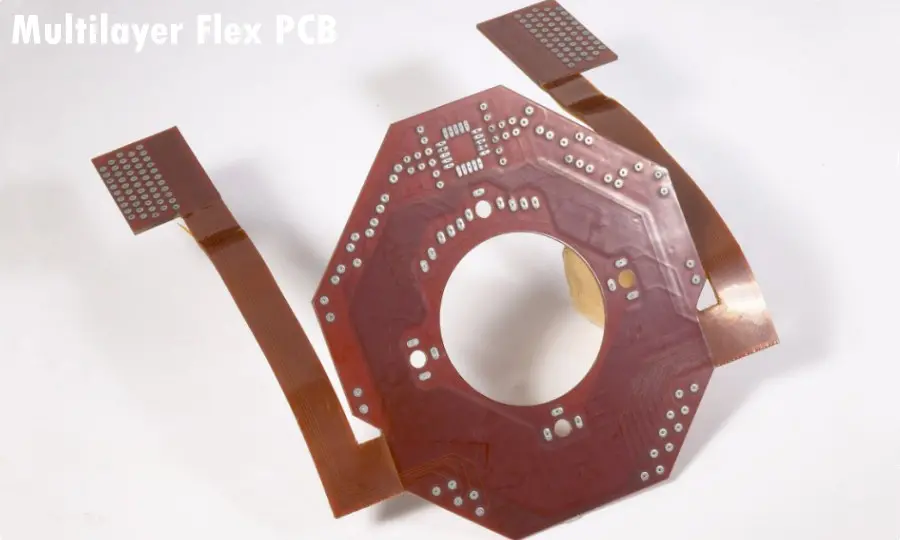
Multilayer Flex PCB: Layer & Construction Selection — design decisions
Multilayer flex uses more than two copper layers to support a denser interconnect. This page helps you decide which construction to discuss; the individual four- and six-layer pages cover their specific drawing and enquiry requirements.
| Choice | When to investigate | Next step |
|---|---|---|
| 2 copper layers | The required routing and return paths fit without extra layers. | Review double-sided flex |
| 4 copper layers | Additional routing or reference layers are needed. | Review four-layer flex |
| 6 copper layers | The layout needs a denser multilayer interconnect. | Review six-layer flex |
| Rigid-flex | Rigid component regions and flexible interconnections are required. | Compare rigid-flex construction |
Layer count is only one decision. Coverlay, adhesives, local stiffeners, bend duty, connection technology and dimensional tolerance determine whether the complete concept fits the enclosure and manufacturing route.
Three ways to solve a routing-density problem
| Concept | What changes | Question to answer before ordering |
|---|---|---|
| Two-layer flex with revised routing | No additional conductor layers | Can net ordering, connector pinout or outline changes make this feasible? |
| Four- or six-layer bonded flex | More conductors and dielectric throughout the flexible section | Does the increased thickness still meet the actual installation and motion requirements? |
| Rigid-flex with fewer continuing flex layers | Extra circuitry retained only in rigid regions | Can signals transition onto the smaller flex-layer set without an unacceptable electrical penalty? |
Layer count is a consequence of the electrical and mechanical design, not a performance score. Compare the four-layer section and six-layer section only after defining the bend region and supported areas.
Relevant construction examples

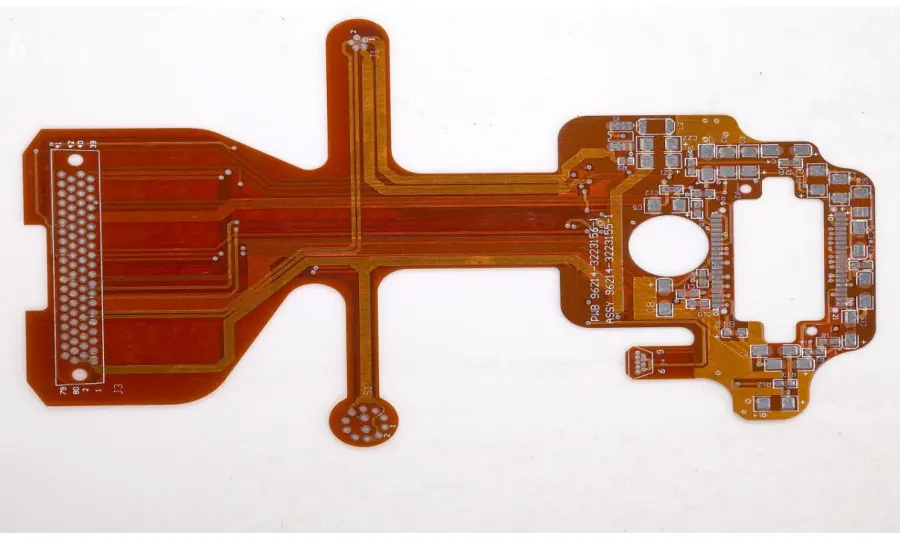
A construction comparison that belongs in the RFQ
Ask for comparison of two feasible constructions when a routing decision is still open. State what must remain constant: outline, interfaces, electrical constraints, quantities and installation space. A price comparison between different functional requirements can be misleading.
Identify which candidate uses a uniform bonded construction and which requires local mechanical treatment. Neither the budget tool nor a product photograph verifies the process. Send the proposed flex stackup and layer artwork for engineering review.
Material selection starts with the actual laminate, copper and coverlay grades. Refer to DuPont’s laminate portfolio and the supplier drawing for each selected grade. Kapton and Pyralux are not interchangeable names for every flexible circuit material.
Flex design & project planning
Check bend-region thickness and the local connector stack separately. Enter the actual supplier values; do not count stiffeners as part of a flexible bend.
RAYPCB ENGINEERING
Project PreparationFlexible PCB Design Workbench
Loading Flexible PCB Design Workbench…
Optional bare-flex budget
Choose the construction independently from the design check. This is an early budget scenario; it does not price a validated stackup.
RAYPCB ENGINEERING
Project PreparationFlexible PCB Budget Estimator
Loading Flexible PCB Budget Estimator…
Prepare the next engineering review
Send the available files even if some decisions remain open. Mark the points where you need advice.
- Gerber or agreed fabrication data, outline drawing and drill data where applicable.
- Layer stackup, material grades, finished thickness and tolerances.
- Bend zones, installed radius, motion duty, coverlay openings and reinforcement drawing.
- Connector requirements, order quantities and requested delivery.
Download calculator results if you want to include them. Contact inputs are not automatically filled from these tools.
Practical questions
What is the first decision for this construction?
Resolve layer-count alternatives before treating the layer count as a complete specification. Include the mechanical drawing and identify any unknowns.
Does the design tool approve the bend radius?
No. It checks the entered geometry and planning assumptions; it does not predict fatigue life or release the construction for manufacture.
Is the displayed budget an exact quote?
No. The model is uncalibrated. Unsupported or complex constructions need manual review. Send the files for an exact quotation without completing the calculator if you prefer.